Deck · 0–1 brand and product
Building a data-access platform's brand and product
I helped Deck grow from an energy bills aggregator into a global platform for user-permissioned data access, and built its brand from zero.
As founding designer, I worked for 8 months with the founder, a PM and the engineering team, leading the brand, the product and its first design system.
About the product
Deck gives platforms API access to their users’ utility data, with each user’s permission: usage, charges, payments and tariffs in one standard format, across 100K+ providers in 40+ countries. It had three products:
- Stream. Ongoing data from connected accounts, monthly, weekly or daily.
- Rewind. The full history of usage, charges and payments for an account.
- Studio. Bringing new, unsupported data sources into the network.
Problem
Why a powerful product felt hard to use
- Connections people abandoned. The flow was manual and silent, so users gave up, not knowing whether it was still working.
- Little visibility. Clients could see a connection had failed, but not why.
- Overwhelming interfaces. Dense screens with no clear hierarchy.
- No shared patterns. No design foundation, so every flow looked and behaved differently.
Every gap ended up as a support ticket.
Connection flow
Designing a connection people actually finish
Connecting an account meant handing users to their provider’s login, then a long, silent wait, so many gave up, unsure it was still working. I split the connection into named steps, with progress tied to real connection states and messages saying what the system was doing at each moment.
The prototype below plays the full connection on a loop, rebuilt from my Figma flow.
Key decisions
- Broke one opaque connection into clear, named steps
- Added a progress indicator tied to real connection states
- Wrote real-time status messages for every waiting state
- Designed explicit success, failure and MFA endings
Impact
Drop-off during connection fell substantially. The connection itself was not made meaningfully faster. What changed was that people could see it was working, so they stopped giving up on it.
When you can’t make a wait shorter, make it legible.
Link Editor
One flow, configurable for every client
Every client needed the connection flow to behave differently — different countries and provider types, whether their users pick individual accounts, how often data refreshes. Building each variant by hand meant bespoke design and engineering for every new client, which would not scale.
I designed the Link Editor, a configuration tool that lets clients shape the flow themselves, with a live preview of every step — consent, login, loading, MFA, account selection, success — updating as settings change. It turned a bespoke build into a product surface.
Key decisions
- A settings model for language, supported countries and provider types
- Controls for account selection, auto-refresh and supported statuses
- A live flow preview showing each step as it is configured
- Integration guidance built into the editor itself
One configurable flow instead of a bespoke build for every client.
The prototype below is clickable. It plays through on its own; click any step, toggle or language to take over and see the preview update.
An example of use: Qonto
To show how Deck Link could live inside a client’s own product, I designed an example of use for Qonto: their users would pull invoices from providers without ever leaving the app. The hard part was trust, since people would be handing over provider credentials inside someone else’s product. I designed the consent step to state plainly what happens — credentials are never stored, access lasts for that session only — and added bulk retrieval by date range, so a user connects once and pulls a year of invoices instead of repeating the flow.
Key decisions
- Consent that states plainly what happens to credentials
- Access that lasts for that session only
- Bulk retrieval by date range, so one connection pulls a year of invoices
Platform
Turning complex data into something you can act on
Clients monitored utility connections across many accounts and sites. I designed the platform around connection health first, with any account one click away.
Three views did the work. The overview showed status and consumption at a glance. Sites handled bulk onboarding: a table filterable by city, country and status, CSV import, and connection requests emailed to site managers automatically. Analytics tracked health over time and broke logins down by outcome — valid, invalid, MFA required and other errors — separating authentication problems from provider-side errors.
Key decisions
- Led with connection health, not raw tables
- Surfaced issues and missing data where they needed attention
- Bulk onboarding through CSV import and automatic requests
- Failures split by cause, so clients knew whose problem it was
A client should be able to tell, without contacting us, whether the problem is theirs, the user’s or the provider’s.
The prototype below is clickable. It plays through on its own; use the sidebar to switch between consumption, sites and analytics, filter the data or add a site.
Issue reporting
Reporting issues without leaving the workflow
When data looked wrong, users had no way to report it in context, so issues went to manual support and slowed resolution. I designed an inline flagging system: colour-coded flags by severity and type, with issue reporting built into the flagged data point itself — report, confirm, and track resolution without leaving the table.
Clear visual status
Flags are categorised and colour-coded to communicate the severity and type of issue at a glance.
The animation below follows one issue from flag to resolution, rebuilt from my Figma flow.
Key decisions
- Categorised and colour-coded flags by severity and type
- Built issue reporting directly into the flagged row
- Added clear confirmation the report was sent
- Let users track status through to resolution
Report the problem where you see it, not in a support queue.
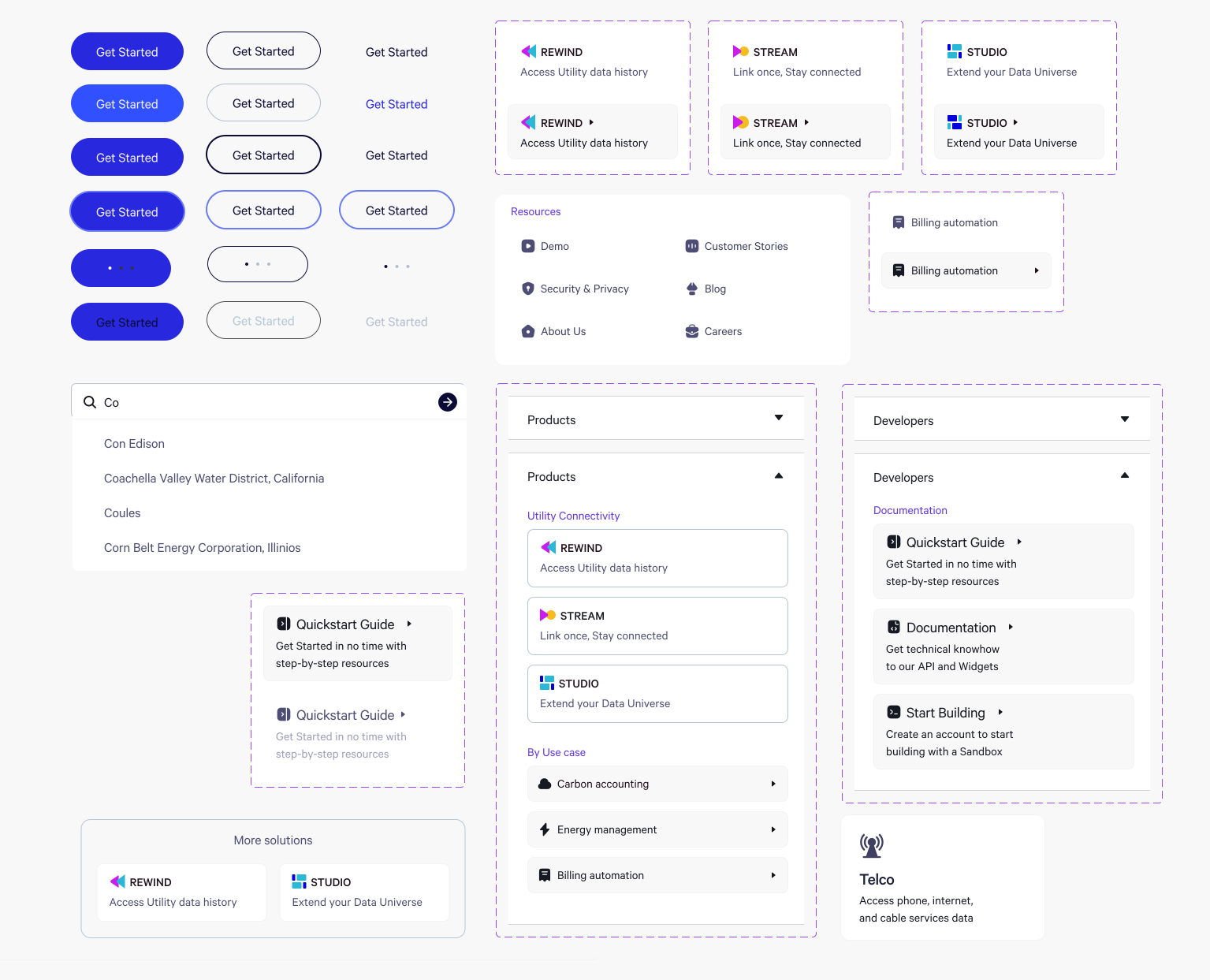
Design system
Building the first design system
Deck had no design foundation: no components, no shared patterns, colour and spacing decided ad hoc. As the product, marketing site and prototypes grew in parallel, that would have meant constant rework and drift. I built the first design system from scratch: reusable, documented components with their states and edge cases considered, working across product, marketing and prototypes, so a small team could extend it without redesigning each time.
Key decisions
- A reusable, documented component library from scratch
- States and edge cases defined for each component
- Shared patterns spanning product, marketing and prototypes
- A foundation a small team could extend without redesigning
A small team moves fast when nothing has to be designed twice.
Brand & website
A visual language built from data
Deck sold a highly technical product, and the brand had to make it feel considered and trustworthy rather than cold. I built the visual language out of the product itself — the data structures it handles — so the identity and the interface share one logic.
Product icons
Rewind, Stream and Studio each got a mark built from the brand’s simple geometric shapes, with a hover micro-interaction that hints at what the product does. Hover a card below to try it.
A technical product earns trust when it looks considered.
Illustrations explaining use cases
Vector illustrations worked as mini-infographics, explaining the product’s use cases at a glance, with a vibrant palette keeping each element distinct. Below, they are animated to show how each one works.
The website
I designed the marketing site in the same visual language, covering the homepage, product, use-case, pricing and contact pages. Its key feature was the provider lookup: visitors could check whether Deck supported their provider before signing up, and request one if it didn’t.
The animation below plays the lookup on a loop: a supported provider, one that isn’t, and the request to add it.
Outcome
A product and system built to scale
As founding designer, I delivered Deck’s first complete product and brand system: the visual identity, a documented component library, and the core workflows for connection monitoring and issue reporting. The design system let a small team ship consistently without rebuilding from scratch each time, and the inline flagging system turned issue reporting from a manual, support-heavy process into something users could do in context.
What I'd measure next
- Time-to-resolution for flagged issues
- Share of issues reported through the product versus support
Key takeaways
- People stayed in a slow connection once they could see it working.
- Configuration scaled where custom builds couldn’t: one Link Editor instead of a flow per client.
- Problems are cheapest to fix where they appear: flags in the table, failure reasons in analytics.